


Package Nexus Advanced Standalone Package Room Solution
Convert an existing room into a more organized, access-controlled destination for deliveries. Carriers use the computer outside the door to enter and choose a delivery zone. Residents receive a unique pickup code and retrieve packages on their schedule.
Make an existing room work harder for deliveries
A package room can provide flexible storage when individual locker compartments are not the best match for a building’s package mix. The Package Nexus standalone solution places the access computer outside the room by the entrance. That keeps the entry workflow visible and easy to find while reserving the interior for package storage and resident pickup.
After entering the delivery flow, the carrier selects the appropriate zone and places the parcel in that area. The resident receives a unique pickup code for access. Package Nexus can help tailor the room workflow to the available space, delivery volume, oversized-item needs, and property procedures.
Use the room on its own, or discuss how it may complement an existing Package Nexus smart parcel locker installation.
Flexible room storage can accommodate a varied package mix and can be planned for the layout of the property.
How the standalone package room works
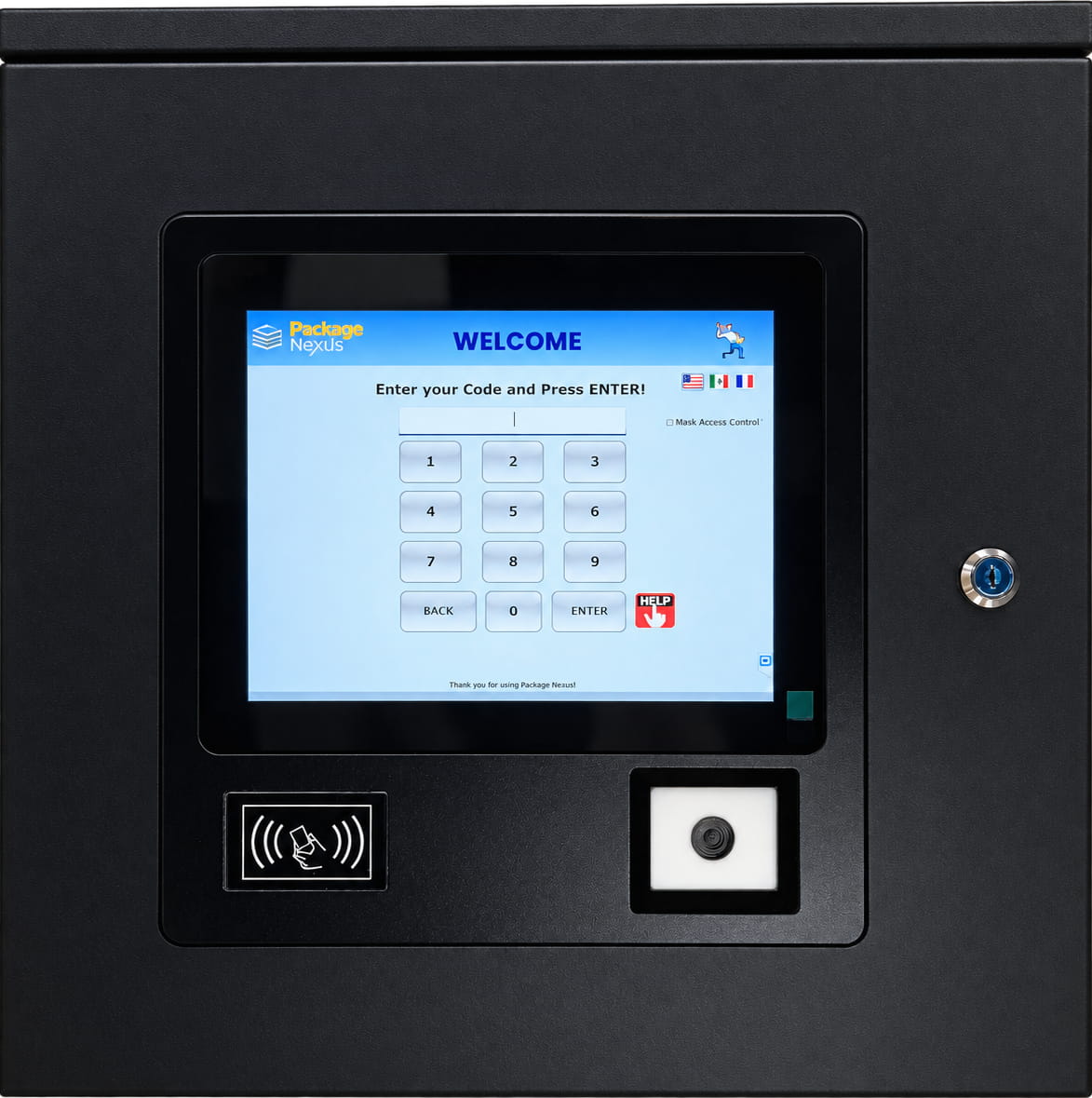
The room is designed around two simple moments: a carrier checks in at the exterior computer and places deliveries in a selected zone; a resident uses a unique pickup code to enter and collect them.
Carrier arrives at the room
The delivery driver uses the computer installed outside the package room door to begin the delivery workflow and access the secured space.
Carrier selects a zone
The on-screen flow lets the carrier choose the delivery zone that matches the package or the property’s room organization.
Resident receives a code
Once the delivery is recorded through the workflow, the recipient receives a unique pickup code to enter the room and retrieve the package.
Resident picks up independently
The resident enters with the code and goes to the selected zone. This provides a self-service option without making the leasing office the handoff point.
Carrier-selected zones make mixed deliveries easier to organize
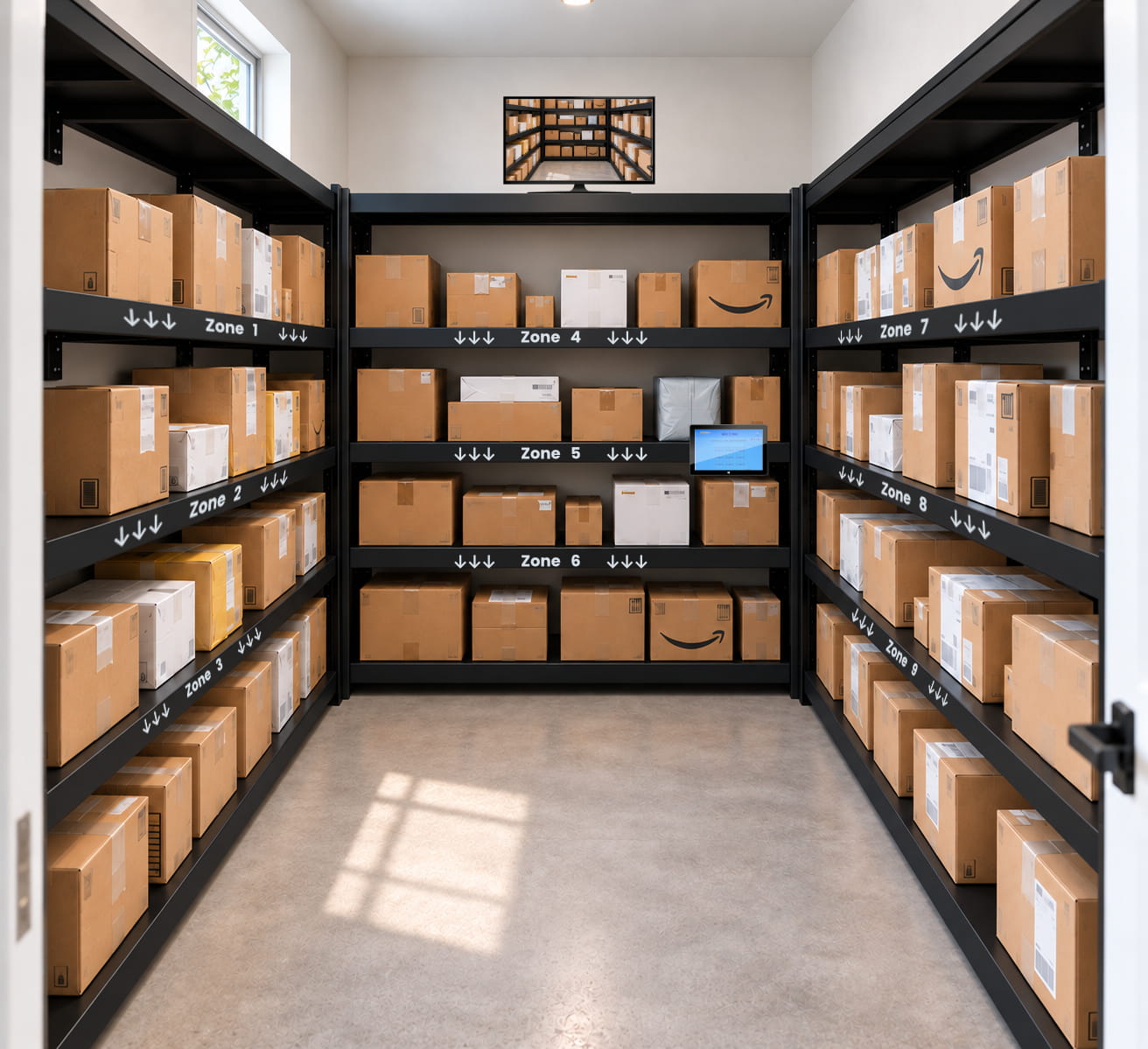
A room can be divided into clearly labeled areas so a carrier can place packages where residents and staff expect to find them. The carrier selects a zone at the exterior computer during delivery. Zone names and arrangement can be reviewed during planning and aligned with the room’s actual shelving and circulation.
These are example zone labels. Final labels, room rules, and package handling should reflect each property’s layout and policies.
See who enters. Add room coverage when you need it.
The exterior computer includes an embedded security camera that takes a photo of the person entering the package room. This creates a visual record associated with room access and gives property teams useful context when they are reviewing a delivery or pickup question.
The room can also be planned with optional security cameras and large monitors inside. Those additions can extend visibility through the storage area and provide an on-site view for designated staff. Camera placement and monitoring requirements should be confirmed against the room design, property policy, and installation plan.
- Embedded exterior camera captures a photo at room entry.
- Controlled access provides a defined entry point for carriers and residents.
- Access records support delivery and pickup review.
- Optional interior cameras and large monitors can extend room visibility.
- Configure camera use and retention practices in accordance with applicable law and property privacy policies.
- Exterior access control is the central point for entering the room and completing the delivery or pickup workflow.
Standalone package room features and configuration
Use this summary to start a project conversation. Final hardware, access settings, optional equipment, and integration scope should be confirmed for the property’s selected configuration.
| System Element | How It Supports Package-Room Operations | Planning Detail |
|---|---|---|
| Exterior access computer | Provides the on-site touchpoint for carrier delivery and resident pickup at the room entrance. | Mounted outside by the door; confirm final placement and installation requirements. |
| Controlled room entry | Access is managed through the computer for authorized carrier and resident entry. | Review the door, lock and access-control arrangement for the existing opening. |
| Carrier delivery flow | Carriers use the delivery workflow and select a zone for each placement. | Define zone names and ensure corresponding interior signs are visible. |
| Resident pickup | Recipients receive a unique pickup code to enter and retrieve the package. | Confirm the resident notification channel and code workflow for the selected setup. |
| Entry photo capture | The exterior computer has an embedded security camera that takes a photo of the person entering. | Set camera notice, access and retention practices in line with property policy. |
| Interior cameras and monitors | Optional cameras and large monitors can be added inside the package room. | Choose locations based on room geometry, sightlines, power and network availability. |
| Room capacity | Flexible room storage can serve mixed package sizes, oversized deliveries or locker overflow. | Plan shelves, clear paths, accessible circulation and an oversized area where needed. |
| Property system integration | Package Nexus lists API integration with property-management software among its package room capabilities. | Review the property platform, resident data workflow and integration scope during planning. |
| Warranty | Package Nexus’s published package room page lists one year of parts and labor for its Standard Tier plan. | Confirm applicable warranty terms for the quoted package room configuration. |
When a package room is the right fit
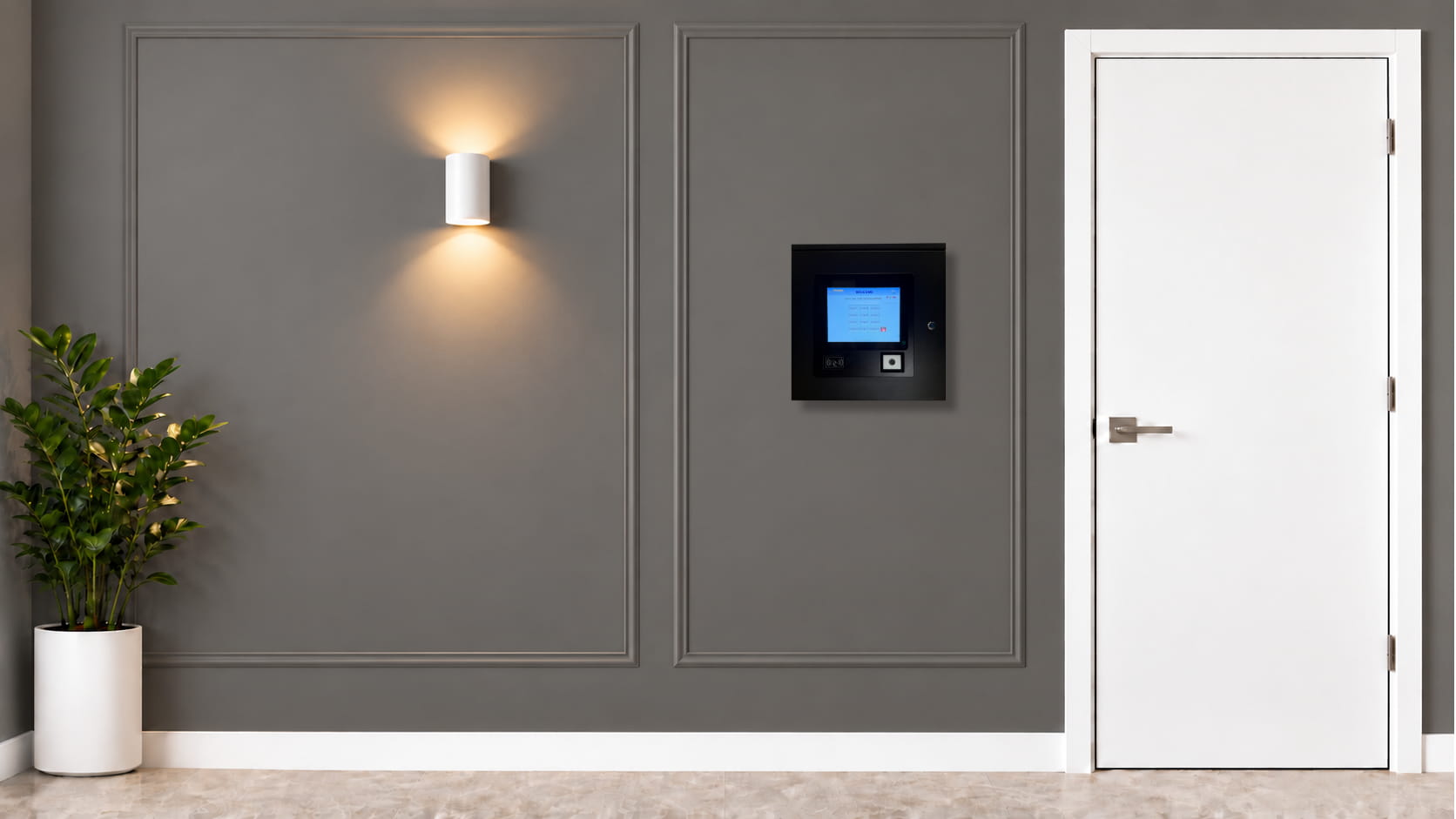
Unlike a fixed set of individual compartments, a room can hold packages with varied shapes and sizes. It can also complement smart lockers when oversized or peak-period deliveries need a separate space.
- Multifamily communities: Offer residents a self-service pickup path while giving property teams a structured alternative to packages accumulating in the lobby or leasing office.
- Student housing: Support concentrated delivery periods and residents whose schedules vary throughout the day with access to a designated package area.
- Oversized deliveries: Use a room for bulky or irregular items that may not fit a standard compartment, such as large cartons, bicycles, tires, or furniture packages.
- Locker overflow: Add flexible capacity alongside a locker bank when package volume increases or the mix regularly exceeds available compartment sizes.
- Commercial buildings: Create a controlled destination for tenant deliveries where an existing room can be adapted and access rules can be aligned with building operations.
- Properties with underused space: Repurpose a suitable existing room or storage area with a more defined process for carrier access, zone placement, and resident retrieval.
Start with the doorway, the floor plan, and delivery patterns
A useful package room balances package capacity with safe movement through the space. Package Nexus can review the proposed room and delivery process with your team so the exterior computer, zones, shelves, and optional interior monitoring are considered together.
To begin, share the room dimensions or floor plan, door location and swing, a few photos of the space, and a general picture of delivery volume and peak periods. This gives the project team a practical basis for discussing layout and requirements.
- Residents use the access system to retrieve packages without relying on a staffed handoff.
- Notifications and access codes help connect a completed delivery with resident pickup.
Start with a package room, then shape the wider workflow
The standalone package room is a complete access-controlled option for properties that want to use an existing space. If a building already has smart parcel lockers, a package room can also add a path for larger deliveries and overflow rather than forcing every parcel into a compartment.
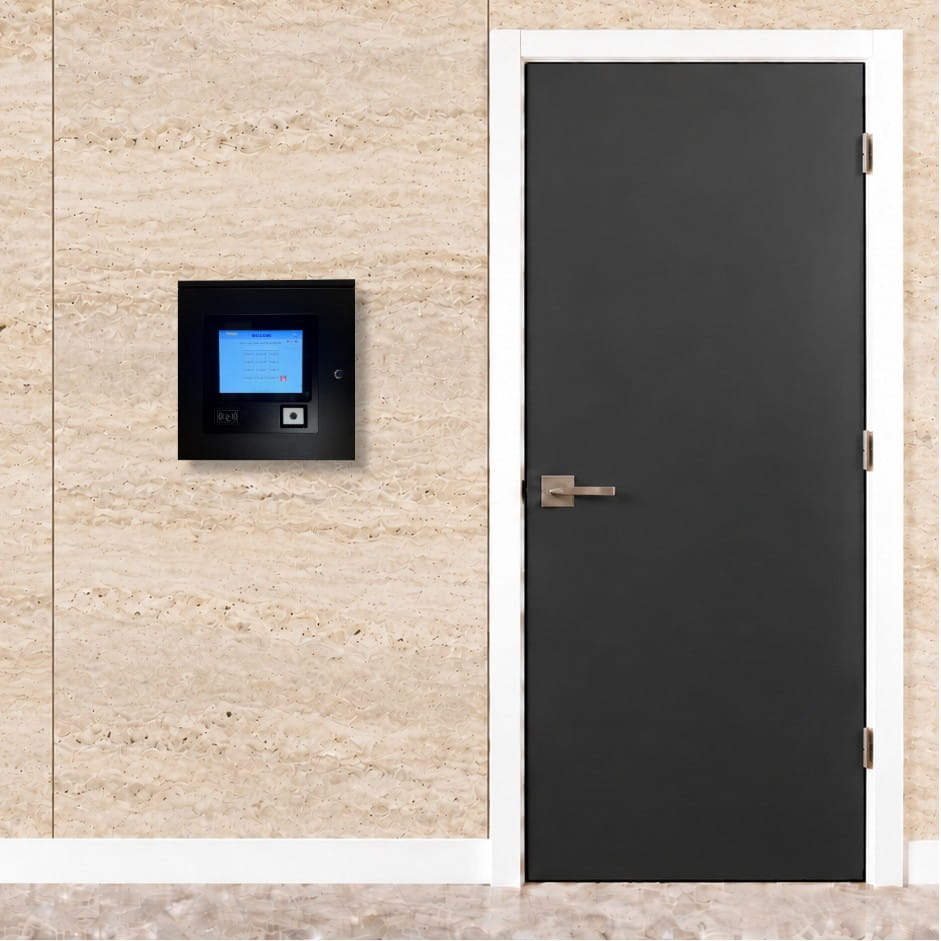
Package Nexus describes package room access, unique resident codes, photo capture, access records, and optional video surveillance as part of its package room offering. The specific configuration—including any room cameras, monitors, integration needs, and notification channels—can be reviewed for the property.
Explore related Package Nexus package room solutions, oversized package planning, and carrier delivery guidance.
Standalone package room access can also be considered as part of a broader package management plan.
Standalone package room questions
Key details about access, zones, camera options, and planning.
What is a standalone package room?
It is a controlled-access package storage room operated through an access computer installed outside the room by the door. Carriers use the system to enter, choose a delivery zone, and place packages. Residents receive a unique pickup code to enter and retrieve their deliveries. The solution can use a suitable existing room without requiring a smart locker bank as its core storage hardware.
Where is the Package Nexus computer installed?
The computer is installed outside the package room near the entrance. That location gives carriers and residents a clear place to interact with the access system before entering. The final mounting location and installation requirements should be reviewed with the property and Package Nexus project team.
Can delivery carriers choose where to put a package?
Yes. During the delivery flow, the carrier can select a zone for the package. The property can plan zone names and placement around the room layout—for example, standard packages, oversized items, or overflow. Clear matching labels inside the room help make the selected zones easy to follow.
How does a resident pick up a package?
After a delivery is completed through the system, the resident receives a unique pickup code. The resident uses that code at the exterior computer to enter the room, then goes to the appropriate zone to find the package. Notification channel and workflow details should be confirmed for the selected configuration.
Does the exterior computer include a camera?
Yes. The outside computer has an embedded security camera that takes a photo of the person entering the room. This supports a visual record of entry. The property should establish its camera notice, access, and retention practices in accordance with applicable law and policy.
Can we add cameras and monitors inside the package room?
Yes. Optional security cameras and large monitors can be installed inside the room. The best number and placement depend on the room geometry, shelving, lighting, power and network access, and the property’s monitoring procedures. Confirm the proposed configuration during project planning.
Can the room store oversized packages?
A room offers more flexible storage than a fixed-size compartment when a property receives large or irregular deliveries. Common examples include bicycles, tires, furniture cartons, mattresses, and multi-box orders. Plan the entry route, turning space, clear floor area, and a zone where large items will not block everyday pickups.
Can the standalone room work with existing Package Nexus lockers?
Yes. Package Nexus offers package room and smart parcel locker approaches. A room can serve as a standalone solution or complement lockers by providing capacity for oversized parcels and periods when locker compartments are full. The appropriate workflow depends on the property’s delivery patterns and available space.
What should we provide to get a package room plan?
Share a floor plan or room measurements, photos of the entrance and interior, door and access-path details, average and peak package volume, common oversized items, and information about power and network availability. Include whether you want optional interior cameras or monitors. These details help the team review the layout and scope.
What warranty is available?
Package Nexus’s current package room page lists a Standard Tier plan with one year of parts and labor. Ask Package Nexus to confirm the warranty terms and available service options for the package room configuration and project scope being quoted.
Have a room that could handle packages better?
Share your floor plan, delivery patterns, and room photos. Package Nexus can help you evaluate a standalone package room, a locker-and-room combination, and the access and camera options that fit your property.
For a compartment-based option that can complement a package room, explore Package Nexus indoor parcel lockers.

Package Nexus is the global technology leader and provider of The World's Most Advanced Smart Parcel Lockers for efficient and most simplified package management for multifamily communities, retailers, universities, libraries, corporate offices, groceries, and more. Package Nexus unique and patented technology offers a fix for human errors at the time of package deliveries and pickups. Package Nexus solutions help property, store, and office managers to improve their operations, reduce operating costs, and increase customer satisfaction at the same time. Package Nexus offers its entire suite of solutions globally.
USEFUL LINKS

© 2017-2026 Package Nexus