


Parcel Lockers for Corporate Mailroom Delivery
Give employees a secure, convenient way to receive packages at work while helping mailroom teams manage deliveries, company equipment and internal handoffs with less manual sorting.
In brief: Package Nexus corporate parcel lockers are configurable indoor and outdoor smart lockers that secure packages for employees and authorized recipients. The system can record delivery and pickup activity, provide pickup codes or barcode access, and support self-service collection through a touchscreen kiosk. Modular compartments and optional package-room capacity help offices plan for different parcel sizes and delivery volumes.
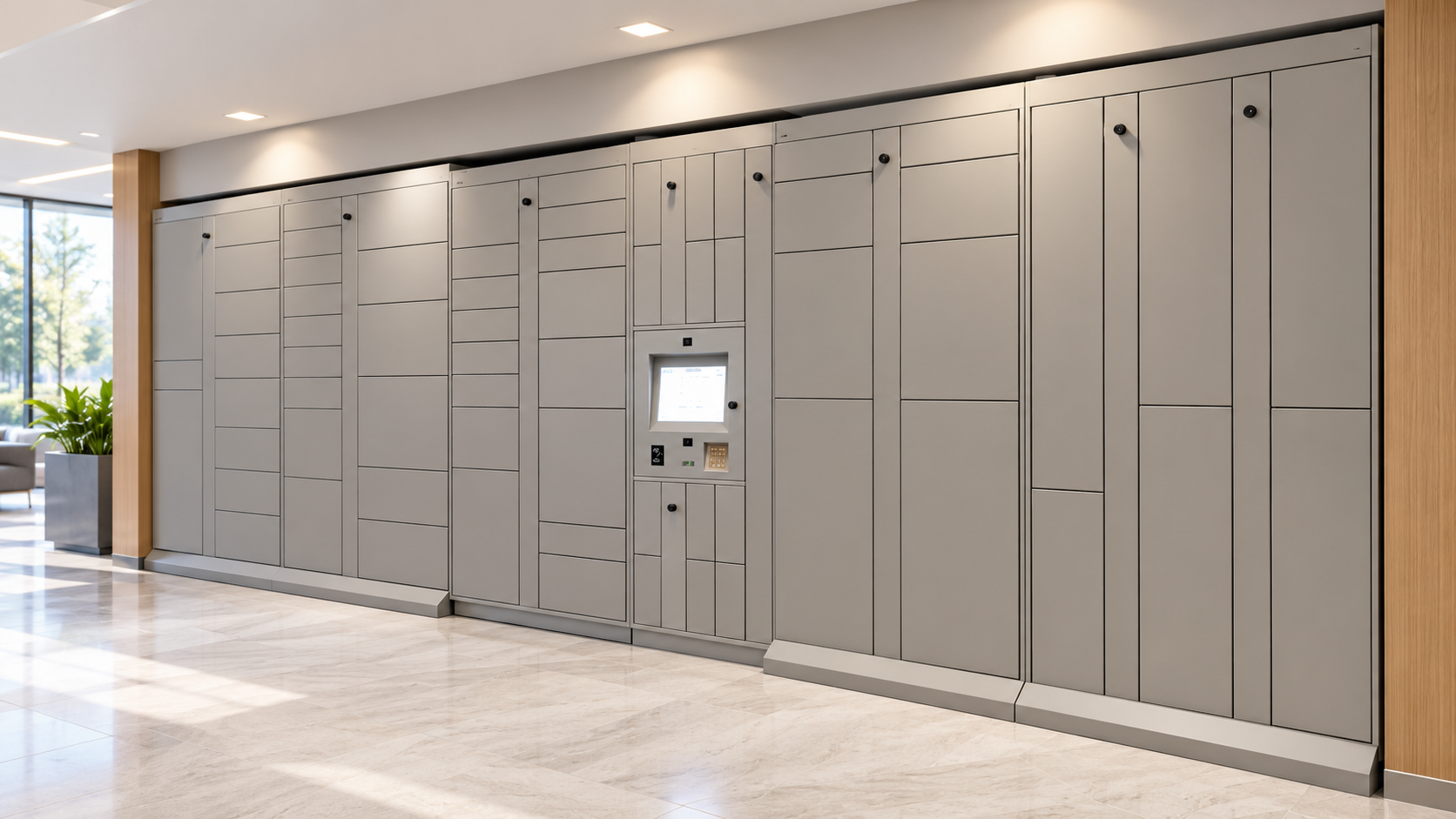
A Smarter Way to Run an Office Mailroom
Corporate mailrooms manage more than letters. Employee purchases, time-sensitive documents, laptops, replacement equipment and interoffice items may all arrive at the same location. When each delivery requires a manual log, a shelf assignment, a message to the recipient and a separate pickup, routine package handling can interrupt higher-priority work.
Package Nexus smart parcel lockers give organizations a controlled place to receive and hold deliveries. A recipient can be notified when an item is ready, then retrieve it using the configured access method. Mailroom staff can see package activity and spend less time coordinating ordinary handoffs.
The system can be planned for a company headquarters, a multi-tenant office, a campus, a distribution office or a facility with more than one delivery entrance. Indoor and outdoor options let organizations place the handoff point where it fits the building’s delivery route and employee traffic.
One Locker System for Several Workplace Workflows
Employee Packages
Employees can collect personal deliveries at a convenient time instead of waiting for a mailroom counter or relying on a desk-to-desk drop-off. A unique pickup code, barcode or other configured credential connects access to the intended recipient.
Company Equipment and IT Exchanges
With access rules set for the organization, lockers can support laptop distribution, device returns, repair exchanges, replacement peripherals and other equipment handoffs. This gives employees and IT teams a documented pickup point without requiring both parties to meet at the same time.
Documents and Internal Transfers
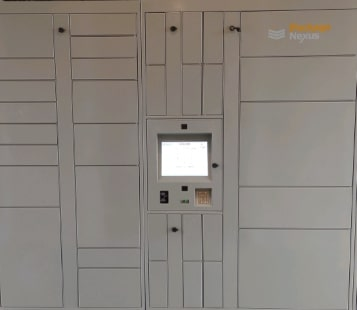
Teams can use suitable compartments for internal mail, printed materials, keys or other items that need a clear handoff. Configure the workflow and recipient permissions around the sensitivity of the material; a locker is a controlled transfer point, not a substitute for an organization’s document-classification or records policies.
Overflow and Bulky Deliveries
Modular compartment sizes help accommodate a mix of envelopes, small parcels and larger boxes. For items that exceed the available compartment dimensions—or for delivery peaks that exceed locker capacity—a controlled package room can complement the lockers.
How Corporate Locker Delivery Works
Package Nexus combines electronic compartments with software that records locker activity and guides delivery and pickup. The exact workflow can be tailored to the site and user groups.
Check in delivery
Scan or assign recipient
Secure the item
Place it in assigned locker
Notify recipient
Send pickup instructions
Complete pickup
Access and log collection
- Check in the delivery. An authorized carrier or mailroom employee uses the configured workflow to identify the delivery and its recipient.
- Secure the item. The system assigns an available compartment; package-presence sensors can report whether an item has been deposited or removed.
- Notify the recipient. The employee receives the configured message and pickup instructions, such as a unique code or barcode.
- Complete pickup. The employee authenticates at the kiosk, retrieves the item and closes the transaction. Activity records help the mailroom review the handoff.
Package Nexus On-Auto-Pilot technology is designed to recover from certain incomplete or timed-out delivery and pickup workflows. This can help reduce interruptions when a user or carrier does not finish the expected steps. The selected software workflow should be reviewed during implementation.
Package Nexus Features for Corporate Mailrooms
| Feature | Corporate Mailroom Application |
|---|---|
| Locker design | Modular compartment banks in multiple sizes, configured for the site’s space and delivery mix; oversized delivery needs can be supplemented with a package room. |
| User interface | Industrial-grade touchscreen kiosk, generally configured with a 15-inch display; a 22-inch display is available in selected configurations. A physical Braille keypad can be specified where appropriate. |
| Computer and software | Industrial-grade computer hardware, electronic locks, locally available locker database functions and cloud-connected management. Core functionality available during an internet interruption depends on the selected configuration. |
| Identification and access | Dedicated barcode scanning for supported 1D/2D codes; pickup can use a unique code, barcode or another configured credential. |
| Package accountability | Transaction records and package-presence sensing help operators track delivery and pickup activity. Camera options can add visual context to selected installations. |
| Construction | Heavy-duty, 12-gauge galvanized steel locker construction is available for demanding commercial environments. Compartment configuration and finishes are selected for the project. |
| Indoor and outdoor options | Indoor lockers suit lobbies, mailrooms and employee areas. Outdoor models are designed for exterior placement; confirm the site-specific environmental rating, exposure and installation requirements before selection. |
| Optional capabilities | Additional scanners, ID or RFID readers, cameras, printers, speakers and temperature-controlled compartments may be specified for the use case. |
Hardware dimensions, compartment mix, peripherals, network requirements and supported software integrations vary by project. Package Nexus should confirm the final equipment schedule and site requirements before purchase.
Indoor or Outdoor Corporate Parcel Lockers?
Indoor Lockers
A convenient choice for a staffed mailroom, office lobby, employee amenity area or controlled-access corridor. Indoor placement can make deliveries easy to locate while keeping the locker bank within the building’s access plan.

Outdoor Lockers
Useful when a campus or facility needs a delivery point near an exterior entrance or beyond standard office hours. Choose the location based on carrier access, employee foot traffic, security zones, weather exposure, lighting, power and network availability.
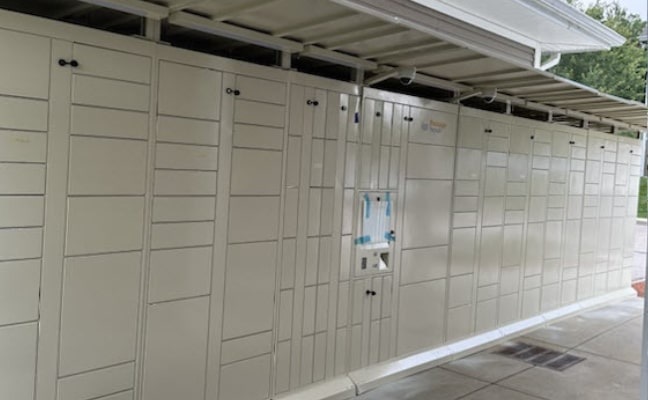
For an outdoor site, confirm the project’s temperature range, water protection, mounting and service requirements with Package Nexus before finalizing the equipment.
Plan Capacity Around Real Mailroom Demand
The right system starts with delivery patterns, not a generic locker count. Review several representative weeks and include seasonal peaks, company purchasing cycles and return-to-office patterns. Consider:
- Average and peak deliveries per day, including the busiest delivery window.
- Number of employees, tenants, buildings and receiving entrances served.
- Typical parcel dimensions, oversized items, flat mail and secure equipment.
- How long recipients usually take to pick up items and how often mailroom staff need to clear exceptions.
- Whether the system should serve one department, several departments or multiple buildings.
- Available wall length, floor space, door clearance, power, Ethernet or Wi-Fi coverage, and accessible approach space.
- Whether a package room should handle oversized deliveries or overflow alongside the lockers.
Package Nexus can work with the organization to plan the compartment mix and placement around these factors. For multi-building or existing mailroom software workflows, review user provisioning, data exchange and network requirements during project scoping; integration availability depends on the systems involved.
Bring Package Handling Into the Flow of Work
Corporate mailroom delivery is a daily operational process. Smart lockers can give employees a predictable collection point, make equipment handoffs easier to coordinate and give mailroom teams a clearer record of package activity. Package Nexus offers configurable indoor and outdoor smart parcel lockers designed around the site, users and workflow.
Plan a Corporate Mailroom Locker System
Share your delivery volume, site plan, parcel sizes and workplace workflows with Package Nexus. The team can help assess locker placement, capacity, hardware options and any integration questions for your project.
Discuss your mailroom project: packagenexus.com/contact-us
Package Nexus · (858) 201-3412 · info@packagenexus.com
Frequently Asked Questions
What are corporate mailroom parcel lockers?
They are electronically controlled compartments that let carriers or receiving staff secure deliveries for named employees or authorized recipients. The system records activity and sends pickup instructions, so recipients can collect items without waiting for a staffed handoff.
How do smart lockers improve corporate mailroom delivery?
Smart lockers provide secure storage, package tracking and recipient notifications. Employees collect deliveries on their schedule, while mailroom teams can reduce routine sorting and manual handoffs and retain visibility into package activity.
Can employees use corporate lockers for personal packages?
Yes. An organization can designate lockers for employee deliveries and establish recipient access rules. Employers should set their own policies for approved deliveries, storage duration and exceptions.
Can corporate parcel lockers be used for company equipment and documents?
Yes, when the selected access workflow fits the organization’s needs. Lockers can support equipment distribution, returns, repair exchanges, documents and internal handoffs. Sensitive materials should follow the company’s existing security and records policies.
Are indoor or outdoor lockers better for an office?
Indoor lockers suit a lobby, mailroom or employee area. Outdoor lockers can serve a campus or building where carriers need exterior access. Location, weather exposure, access control, power and connectivity should guide the final configuration.
Can Package Nexus lockers operate if the internet goes down?
Package Nexus lockers include a local database that supports key locker functions during an internet interruption. Available offline functions depend on the selected configuration and should be confirmed for the site.
How many lockers does a corporate mailroom need?
The right count depends on average and peak delivery volume, pickup times, employee population, parcel sizes and available space. Include seasonal peaks and consider a package room for oversized items or overflow.
What information should we provide to plan a locker installation?
Provide a floor plan or photos, available dimensions, delivery volume and peak patterns, common package sizes, employee or tenant count, delivery entrances, power and network access, and any desired software integrations or internal handoff workflows.

Package Nexus is the global technology leader and provider of The World's Most Advanced Smart Parcel Lockers for efficient and most simplified package management for multifamily communities, retailers, universities, libraries, corporate offices, groceries, and more. Package Nexus unique and patented technology offers a fix for human errors at the time of package deliveries and pickups. Package Nexus solutions help property, store, and office managers to improve their operations, reduce operating costs, and increase customer satisfaction at the same time. Package Nexus offers its entire suite of solutions globally.
USEFUL LINKS

© 2017-2026 Package Nexus