
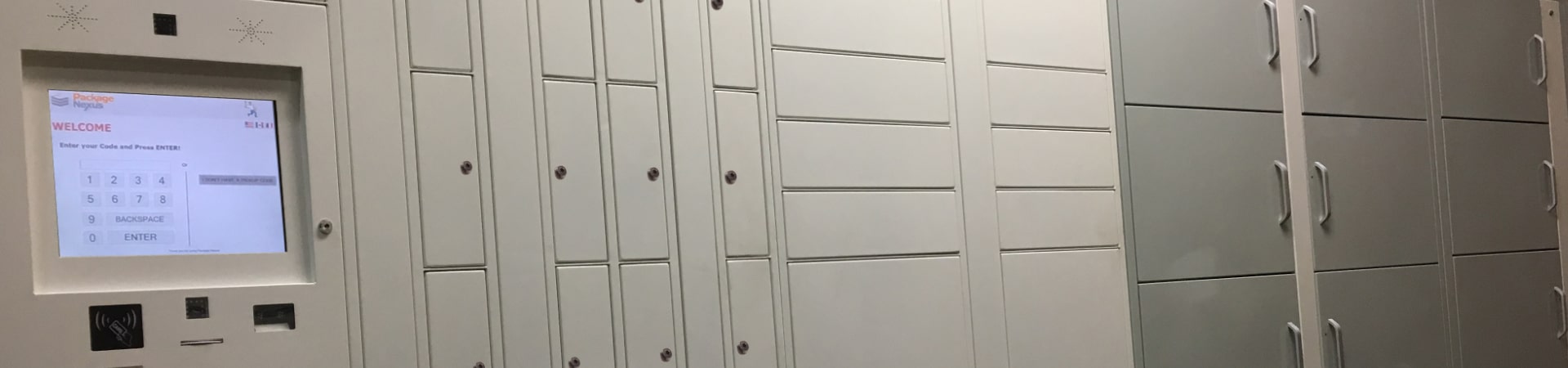

How indoor smart parcel lockers work: Access, Alerts, and Security
Indoor smart parcel lockers connect each delivery to a recipient, secure the parcel in an electronically controlled compartment, and send pickup instructions. The resident enters or scans an authorized credential, collects the parcel, and the system updates its records. Package Nexus adds patented On-Auto-Pilot sensor technology to verify supported delivery and pickup events and automatically resolve common user errors.
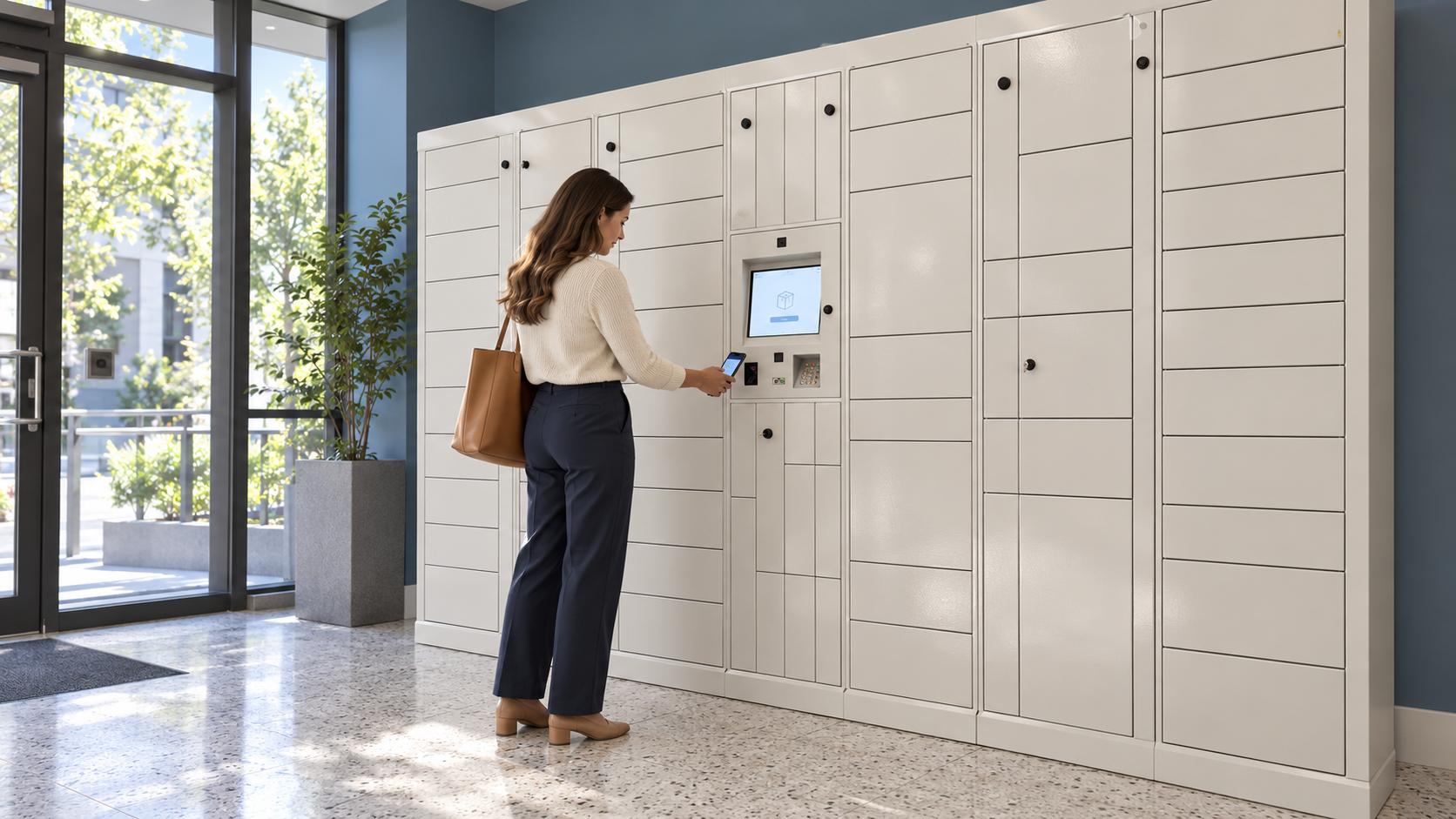
For property managers, the value extends beyond finding a place for boxes. A well-planned system reduces routine handoffs, makes package status easier to verify, and gives residents a dependable self-service pickup process. Package Nexus is 100% US-owned and operated, with 100% modular lockers that can expand as a community or its package volume grows.
This guide explains access, alerts, security, and the choice between indoor smart parcel lockers, a Standalone Package Room, and an Integrated Package Room.
The delivery and pickup process
A smart locker coordinates the cabinet, electronic locks, kiosk, sensors, recipient records, and notification software. The following sequence describes a typical configured Package Nexus transaction.
- The carrier identifies the recipient. The carrier follows the kiosk prompts to find the intended resident and register the delivery. Accurate resident names and unit information matter because a secure locker still needs the correct recipient assignment.
- The system provides a suitable compartment. The delivery workflow connects the parcel with an available compartment that matches the selected size. The carrier places the parcel inside and closes the door. Parcels that exceed the available opening or interior dimensions need an approved oversized or package-room route.
- Sensors help verify what happened. Package Nexus On-Auto-Pilot combines sensor feedback with software to verify supported placement and removal events. This reduces dependence on a person correctly answering a final confirmation screen and helps keep the recorded status aligned with the physical compartment.
- The resident receives pickup information. After the delivery is recorded, the configured notification workflow sends pickup details. A message can include the locker location, a unique pickup code or barcode, and instructions for retrieving the package.
- The credential releases the assigned door. At the kiosk, the resident enters or scans the approved credential. The system checks it against the delivery record and releases the associated electronic lock. A pickup credential is different from a carrier’s tracking number.
- Collection updates the record. The resident removes the parcel and closes the door. The supported sensing and workflow logic update the pickup record and compartment availability. Keeping this final status accurate helps the next carrier find usable capacity.
Identify
Carrier selects the recipient and a suitable compartment
Verify delivery
Sensors and software record the supported deposit event
Send pickup details
Notification provides the resident's access credential
Verify pickup
Credential opens the assigned door; retrieval updates status
Access that connects the right person to the right delivery
Access has two separate layers. The building controls who can reach the locker area; the locker controls which compartment a valid pickup action can open. Installing lockers in a locked mailroom does not automatically give carriers access to the building, so the delivery route must be planned alongside resident entry.
Pickup codes and scanning
Package Nexus supports unique pickup codes and barcode-based pickup workflows. A resident can follow the message instructions at the kiosk without arranging a handoff with the leasing office. A Personal Pickup PIN option may also be configured; confirm its enrollment, account permissions, and reset process for the property. RFID or ID-reader options should be specified for the intended use rather than assumed to apply to every installation.
Treat a pickup code as a key. Residents should keep it private and share it only through a property-approved collection arrangement. An authorized person who holds a valid credential may be able to collect the associated delivery, so credential handling is part of security.
Usable access for the whole community
The kiosk position, screen readability, reachable compartments, door swings, and clear approach all influence the pickup experience. Package Nexus describes accessible-compartment assignment and interface options such as a Braille keypad. The installed layout and selected hardware must be evaluated together for the property’s accessibility requirements.
Alerts that turn a delivery into an actionable pickup
The best alert tells the resident where to go and how to collect the parcel. Email and SMS are common notification channels; confirm the channels included in the selected Package Nexus configuration. Notification delivery also depends on current resident contact details, connectivity, recipient settings, and the email or mobile messaging service.
A carrier’s “delivered” scan and a locker’s pickup notification are different events. A carrier may finish its own tracking process before a parcel is correctly recorded in the locker system. Residents should use the locker’s pickup instructions to identify the collection location and credential.
When an alert does not arrive
Check that the resident account is active and that the email address or mobile number is correct. Review spam filtering and messaging settings, then verify the recorded delivery through the approved support process. For a delayed SMS, an enabled email notification or configured Personal Pickup PIN can offer another route where supported. Never assume that a missing text means the package is missing.
Property teams should agree on reminder timing, uncollected-package procedures, contact-data updates, and escalation ownership during setup. These details support faster pickup and help release capacity for subsequent deliveries.
Security combines physical protection with accurate records
Indoor placement protects equipment from direct weather exposure, but security still depends on the cabinet, access permissions, transaction records, installation, and the surrounding building. Effective electronic parcel locker security brings these controls together.
Individual compartments reduce casual access
An electronic lock restricts access to the assigned compartment during an authorized transaction. Storing a parcel behind its own locked door reduces exposure compared with leaving it on an unattended lobby shelf. Correct anchoring, clear sightlines, and a controlled delivery area reinforce that protection.
Records and cameras support accountability
Delivery and pickup records provide a starting point for investigating a question about a parcel. Configured cameras can add visual context, while sensors help distinguish a door-opening event from an actual supported deposit or retrieval. Camera coverage, retention, and authorized access should match the property’s operating policies. These features improve accountability without making theft or misuse impossible.
Software security requires operational care
Package Nexus describes encrypted database protection and secure locker-to-cloud communication. Property teams should also define administrator permissions, account removal, software maintenance, and access to event records. Proprietary or compiled software alone does not establish that a system is immune to attack.
Package Nexus hardware and platform features
| Component | Published Capability and Project Relevance |
|---|---|
| Cabinet | 12-gauge galvanized steel construction is described in Package Nexus materials. Confirm the quoted enclosure and finish. |
| Computer and interface | Industrial-grade PC and 15-inch touchscreen support the delivery and pickup workflow. |
| Scanning and inputs | Dedicated barcode scanning; the comparison page lists a Honeywell 3320G scanner. Specify keypad and optional reader requirements. |
| Locks and sensors | Computer-controlled electronic locks and patented sensor technology support compartment control and event verification. |
| Cameras | Embedded cameras support configured visual records. Room-wide video coverage and interior monitors are separate scope items. |
| Connectivity | Local operation and cloud connectivity are described. Confirm supported offline functions, network design, and any backup power. |
| Management | Resident information, delivery records, notifications, and integration options support the operating workflow. |
Review Package Nexus locker technology with the proposed equipment schedule so the selected features, integrations, and service scope are explicit.
On Auto Pilot addresses common delivery and pickup errors
A system can automate door opening and still leave property teams to resolve mistakes in the transaction. Package Nexus’s patented On-Auto-Pilot technology addresses this problem by combining sensors with intelligent workflows that detect and automatically correct supported user errors as they occur.
For those supported events, automatic recovery can eliminate the site-manager troubleshooting step. Staff no longer need to become the routine intermediary for a transaction the system can verify and complete. This is a meaningful evaluation point for smart parcel lockers for apartments and condos because the labor burden depends on exception handling as well as normal pickup speed.
| Common Situation | How the Supported Package Nexus Workflow Helps |
|---|---|
| A delivery session times out | Sensor feedback and workflow logic can complete a valid supported delivery without relying on a final user confirmation. |
| A package is left without a completed confirmation | The system is designed to address unregistered-delivery scenarios using recorded activity and sensing. |
| A pickup is initiated but the parcel remains | Sensing helps distinguish opening a door from removing a parcel, reducing inaccurate pickup status. |
| A door is left open | The workflow can detect and respond to a door-open condition. Software recovery does not mean the system physically closes an obstructed door. |
Systems that rely heavily on manual confirmations can require staff follow-up when those confirmations are missed or incorrect. Buyers should ask each supplier to demonstrate these events with a small parcel, a flat envelope, and a larger box, and explain which events recover automatically and which require intervention.
Automatic recovery and support have different roles
On-Auto-Pilot targets common delivery and pickup workflow errors. Physical damage, a jammed mechanism, incorrect resident assignment, an unavailable building entrance, or an electrical failure can still require authorized support or on-site action. A clear service process protects staff time when an issue falls outside automatic recovery.
During a demonstration, ask to see the delivery record, the message created, and the resulting compartment status after an interrupted transaction. This reveals more about daily operating workload than a normal pickup demonstration alone.
Modular capacity grows with the community
Package Nexus lockers are 100% modular and can be expanded at any time as the community or package volume grows. Properties can begin with a layout suited to current demand, then add compatible modules and compartment capacity as occupancy, online ordering, or delivery patterns change. Expansion is planned around the physical space, access clearances, electrical needs, and system configuration.
This flexibility is particularly useful for phased developments, renovated apartment communities, student housing with concentrated move-in periods, and properties whose residents increasingly receive bulky parcels. A planned expansion area helps protect the long-term value of the original installation.
Plan capacity around dwell time and parcel size
Unit count is only a starting point. A useful sizing review considers daily deliveries, peak arrivals, package dimensions, and how long parcels remain before collection. Longer pickup delays occupy more compartments even if the number of daily deliveries stays the same.
For illustration, 60 deliveries per day held for an average of 1.5 days represent roughly 90 packages in storage on average. At 2 days, that rises to about 120. These are planning examples, not recommended compartment counts: peak demand, package-size distribution, consolidation rules, and overflow arrangements still need to be evaluated.
The practical benefit of modular smart parcel lockers is the ability to adjust capacity as measured demand changes. Review sustained occupancy, time-to-pickup, overflow frequency, and the sizes that fill first before choosing the next expansion.
US ownership supports a direct supplier relationship
Package Nexus is 100% US-owned and operated. For US communities, that provides a domestic business relationship for product planning, service coordination, and long-term expansion discussions. Buyers can evaluate ownership alongside the company’s patented technology, technical specifications, implementation process, and support commitments.
The ownership statement describes the company. It should not be confused with a separate claim that every component is manufactured in the United States, or that a system automatically satisfies a particular procurement rule. The commercial value lies in the actual supplier relationship and the responsibilities documented for the project.
Expansion also improves budget planning
A phased purchase can align hardware spending with documented demand. The full comparison should include equipment, installation, software, support, connectivity, expansion work, and the staff time remaining after deployment. A lower initial cabinet price can be less attractive if daily exceptions still consume substantial staff attention.
A Standalone Package Room organizes an existing space
The Package Nexus Standalone Package Room provides computerized, access-controlled package storage for properties that may not have the space or budget for a locker bank. A computer outside the room by the door controls entry for delivery carriers and residents, while the interior is organized into clearly identified shelf zones.
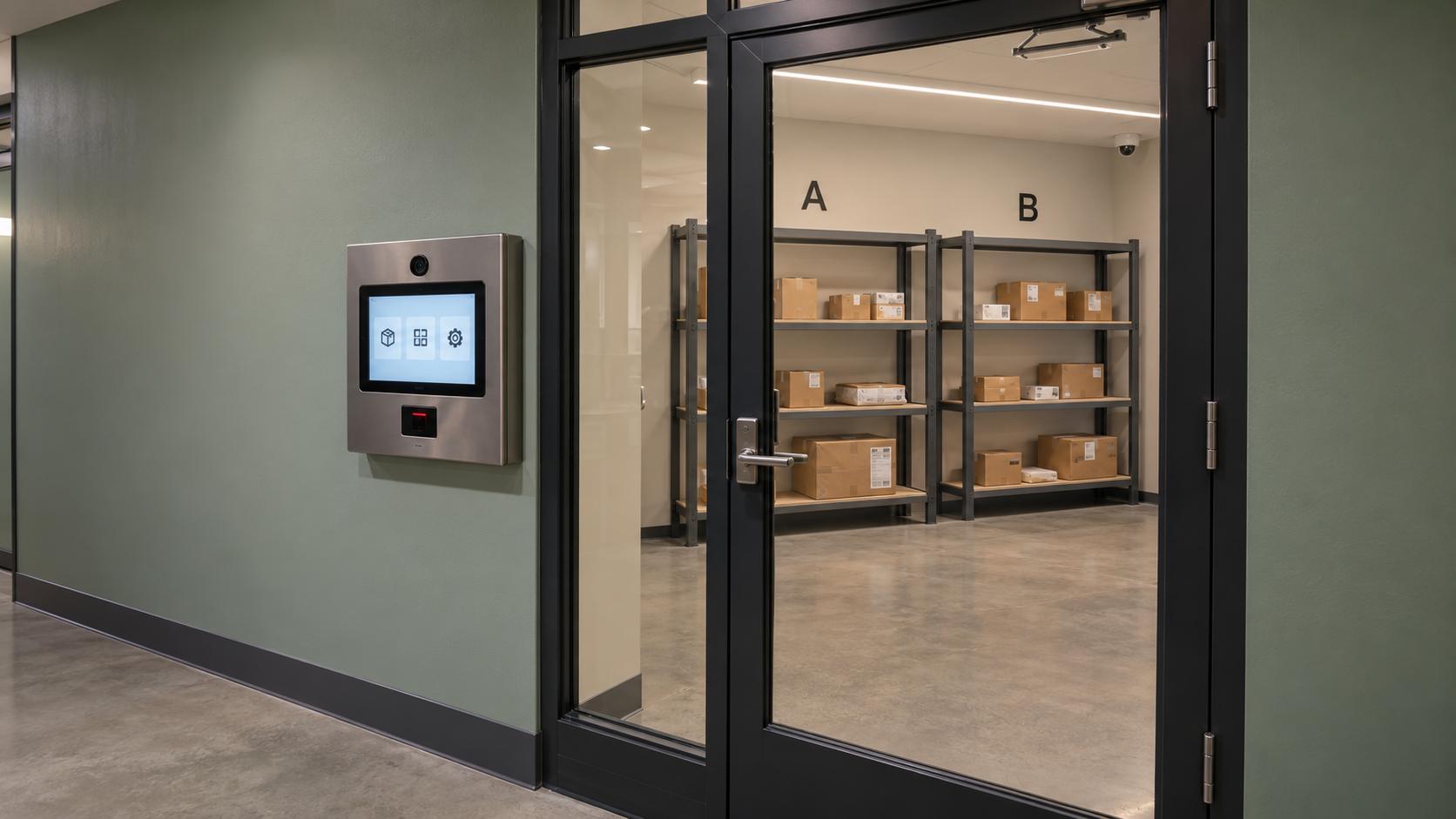
During delivery, the carrier uses the exterior computer, selects the appropriate zone, and places the parcel in that area. The resident receives a unique pickup code and uses the room-entry workflow to retrieve the delivery. Clear zone labels reduce the need to search through every shelf.
The exterior computer includes an embedded security camera that captures a photo of the person entering. Optional interior security cameras and large monitors can extend visibility inside the room. This creates a more organized, traceable alternative to an unmanaged storage area.
A package room controls entry to shared storage. It does not provide the same parcel-by-parcel separation as individually locked compartments. Choose the solution around the building’s security needs, available space, package mix, and preferred operating model, and keep circulation and shelf labeling clear.
An Integrated Package Room connects the storage options
The Package Nexus Integrated Package Room brings ambient smart lockers, refrigerated smart lockers, other temperature-controlled lockers, and a Smart Package Room together under a centralized computer system. A community can match each delivery to suitable storage while managing the overall package process through one coordinated platform.
Standard parcels can use ambient compartments. Deliveries requiring a specified temperature range can use properly configured refrigerated and temperature-controlled lockers. Bulky or irregular items can use the package room. This combination helps a property plan for varied deliveries without treating every package as the same size or storage requirement.
Temperature-controlled storage must be selected for the intended goods and operating conditions. Refrigerated, freezer, and heated configurations serve different purposes. Temperature range, monitoring, pickup timing, power, and service requirements should be defined for the project; an indoor ambient locker does not become refrigerated because it sits in an air-conditioned building.
Choosing the right arrangement
| Option | Access and Storage | Best Fit |
|---|---|---|
| Indoor smart lockers | Authorized pickup opens an assigned individual compartment. | Sites prioritizing separate locked storage and a defined compartment workflow. |
| Standalone Package Room | The exterior computer controls room entry; carriers select shelf zones. | A suitable existing room, varied parcel sizes, or space and budget constraints. |
| Integrated Package Room | Centralized management connects lockers, temperature options, and room access. | Communities needing several storage types and an organized route for oversized deliveries. |
A complete solution still needs a clear delivery route
The carrier must be able to reach the correct destination, identify the resident, and complete the selected storage workflow. Publish clear carrier delivery guidance, make the kiosk easy to locate, and ensure room zones match the labels in the system. These practical details help the technology perform as intended.
For owners managing several buildings, each location should be assessed for resident access, delivery travel distance, available space, and network conditions. Central oversight is valuable, but the physical route still determines whether a carrier can complete a reliable delivery.
Why property teams benefit from automated package management
The strongest business case connects each feature to a recurring operating task. Package Nexus combines controlled storage, resident notifications, patented error recovery, and flexible capacity so property teams can spend more time on residents and the property.
Fewer routine handoffs and interruptions
Residents collect packages without waiting for someone to leave a desk, locate a parcel, and document the handoff. Self-service pickup can extend beyond leasing-office hours when building access permits.
Less time investigating avoidable exceptions
Supported On-Auto-Pilot recovery reduces the need to reconcile unfinished confirmations and inaccurate compartment status. Clear event records also give support teams a more useful starting point for the cases that need review.
A more orderly delivery area
Defined compartments or labeled room zones keep deliveries within an organized process. Planned overflow storage helps preserve usable circulation during peak periods.
A more convenient resident amenity
Clear pickup instructions and flexible collection times fit work, travel, and family schedules. A dependable collection process can support the resident experience without requiring the office to operate a package counter.
Capacity that can match changing demand
Modular expansion and a package-room option give owners choices as parcel volume or dimensions change. The storage mix can be planned around actual use instead of a single fixed estimate.
A measurable operating improvement
Track staff time spent on package questions, exceptions needing site intervention, pickup delays, compartment occupancy, and oversized overflow before and after installation. These measures provide a property-specific basis for evaluating results.
Useful beyond apartment communities
The same controlled-handoff model can support student housing, corporate mailrooms, retail order collection, library holds, hotels, and warehouse or employee-item distribution. Each use case needs the appropriate recipient records, integrations, access permissions, and storage configuration. Specialized services should be agreed during planning rather than assumed from the presence of a locker.
Plan the system around the property
Share your floor plan, current and expected unit count, average and peak package volume, package-size mix, pickup patterns, and any temperature or oversized-storage needs. Review power, connectivity, building access, expansion space, and locker support and operations as part of the same discussion.
To compare a modular locker layout with a Standalone or Integrated Package Room, request a Package Nexus quote and ask for a live demonstration of the delivery, pickup, and On-Auto-Pilot recovery workflows.
Frequently asked questions
How do indoor smart parcel lockers work
A carrier identifies the recipient at the kiosk and places the parcel in an assigned compartment. The system records the delivery and sends pickup information. The resident enters or scans an authorized credential to open the linked door. Package Nexus adds sensor-based verification and supported automatic error recovery to help keep delivery and pickup records accurate.
How does a resident open the correct locker
The resident follows the pickup message and enters the unique code or scans the supported barcode at the kiosk. The software links that credential to the delivery record and releases the assigned lock. A Personal Pickup PIN may also be available in the selected configuration; it has its own enrollment and access rules.
Do residents need to download an app
A code-entry or barcode-scanning workflow can support pickup at the kiosk without requiring an app for that transaction. Confirm the access and notification options selected for the property. A smartphone app, web portal, RFID credential, or Personal Pickup PIN should not be assumed to be required or included in every deployment.
How are residents notified about a delivery
The configured system sends recipient-specific pickup instructions after recording the delivery. Email and SMS options should be confirmed in the proposal. Correct resident contact details and functioning communication services matter; the locker’s pickup notification is separate from the carrier’s shipment-tracking update.
What should a resident do if the pickup message is missing
First check the registered contact information, spam folder, and messaging settings. Then use the property’s approved support process to verify the delivery record. An enabled alternative notification channel or configured Personal Pickup PIN may help where supported. Do not share credentials publicly or assume that a missing message proves the package was not delivered.
Can packages be collected after office hours
Yes, self-service pickup can be available without a staffed handoff. The actual collection hours depend on access to the building, mailroom, or locker area. If residents cannot enter that space overnight, the locker’s technical availability alone does not create round-the-clock access.
How secure are indoor smart parcel lockers
Individual locked compartments, authorized pickup credentials, sensor-supported records, and configured cameras provide several layers of protection. Building entry, installation, account permissions, and private handling of pickup codes also matter. These measures reduce exposure and improve accountability, but no locker should be described as eliminating every possible theft or misuse.
What makes Package Nexus On Auto Pilot different
Package Nexus combines patented sensors with software workflows designed to detect and automatically resolve common delivery and pickup errors. Examples include supported unregistered-delivery, timeout, and pickup-status scenarios. The useful distinction is whether the system can verify and recover from an event without making the site manager the routine troubleshooting contact.
Does On Auto Pilot eliminate every support request
It can remove the need for site-manager intervention in supported, automatically resolved workflow errors. Physical damage, hardware faults, incorrect resident information, and building or power problems can still require assistance. Review the demonstrated recovery behavior and the support responsibilities in the proposed configuration.
Can Package Nexus lockers expand later
Yes. Package Nexus lockers are 100% modular and can be expanded as the community or package volume grows. Reserve a practical expansion area and review module compatibility, power, connectivity, door clearances, and the intended compartment mix before adding capacity. Expansion planning should respond to real occupancy and pickup patterns.
What is the difference between a Standalone and Integrated Package Room
A Standalone Package Room uses an exterior access computer, controlled room entry, and carrier-selected shelf zones as its core solution. An Integrated Package Room connects room storage with ambient and temperature-controlled locker options under centralized management. Both should be planned around parcel sizes, available space, access needs, and the property’s operating model.
Can the system accept oversized and temperature-sensitive deliveries
Large or irregular parcels can use appropriately sized compartments or a planned package-room area. Refrigerated, freezer, or heated lockers can be specified for suitable temperature-sensitive deliveries. The goods, required temperature range, holding period, and project configuration determine the correct choice; ambient room storage is not a substitute for temperature control.
What happens during an internet or power interruption
Package Nexus describes local database capability for continued operation during an internet interruption. Confirm which delivery and pickup functions remain available and how notifications and cloud synchronization behave. A power outage is a separate condition; any backup power and its supported runtime must be specified for the installation.
Why consider a US-owned and operated supplier
Package Nexus’s 100% US-owned and operated business gives US properties a domestic supplier relationship for planning, support coordination, and expansion. Evaluate that relationship alongside demonstrated workflow automation, hardware, installation, and service commitments. Company ownership is distinct from the manufacturing origin of individual components.

Package Nexus is the global technology leader and provider of The World's Most Advanced Smart Parcel Lockers for efficient and most simplified package management for multifamily communities, retailers, universities, libraries, corporate offices, groceries, and more. Package Nexus unique and patented technology offers a fix for human errors at the time of package deliveries and pickups. Package Nexus solutions help property, store, and office managers to improve their operations, reduce operating costs, and increase customer satisfaction at the same time. Package Nexus offers its entire suite of solutions globally.
USEFUL LINKS

© 2017-2026 Package Nexus