

Anatomy of a Smart Parcel Locker Kiosk
How the Main Tower, Add-On Towers and Temperature-Controlled Towers work together
A smart parcel locker kiosk combines a user interface, computer, electronic locks, package sensors and management software to guide deliveries and pickups. The Main Tower coordinates the system; Add-On Towers expand storage; Temperature-Controlled Towers accommodate deliveries that need a specified thermal environment.
For builders and property operators, understanding this anatomy makes the purchasing decision more practical. The important questions are whether the system fits the building, verifies package activity, supports future growth and reduces routine work for the onsite team.
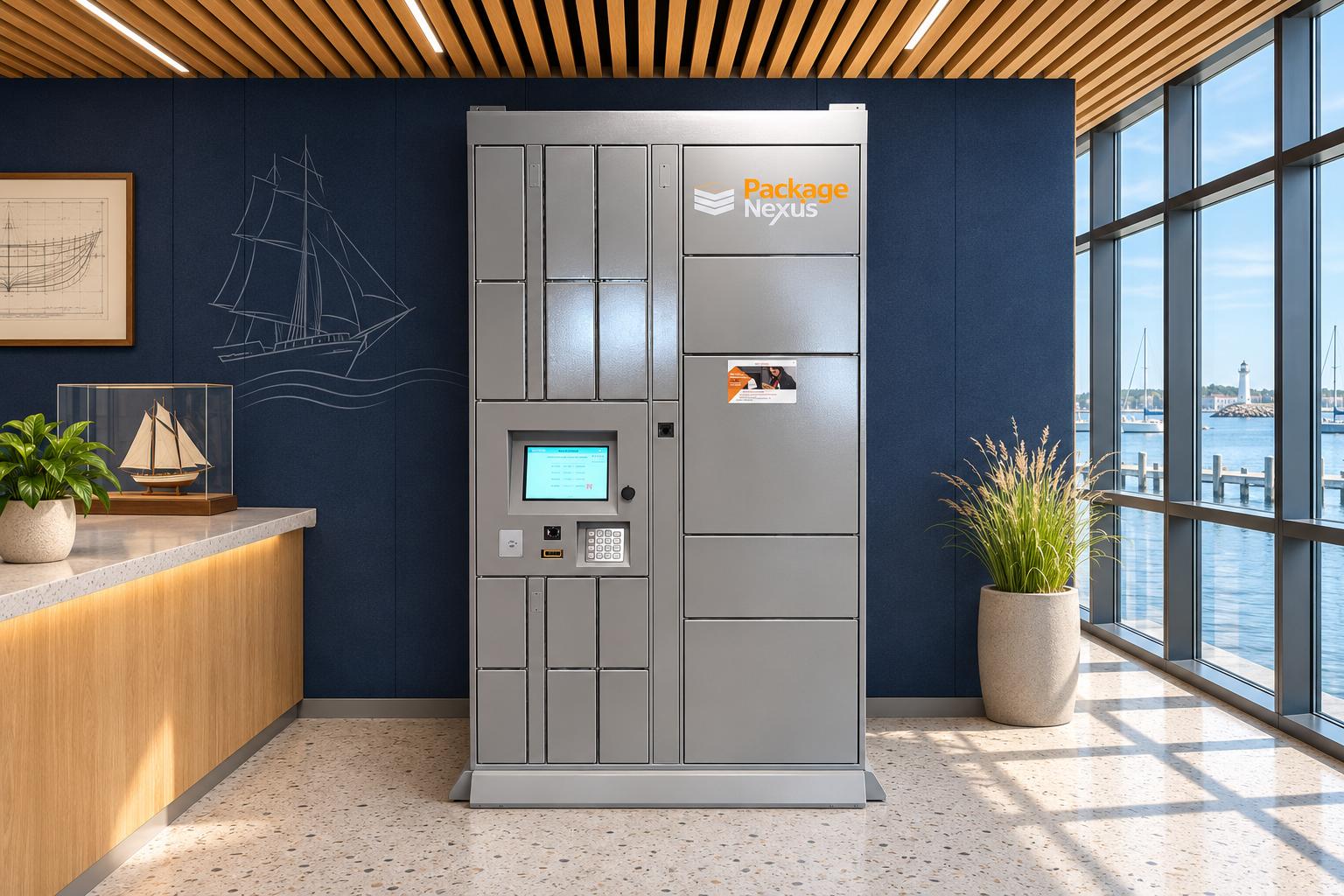
Package Nexus brings these elements together in Patented On-Auto-Pilot Smart Parcel Lockers, with modular storage and options for Standalone and Integrated Package Rooms. The objective is dependable self-service supported by a clear record of package activity.
The three tower building blocks
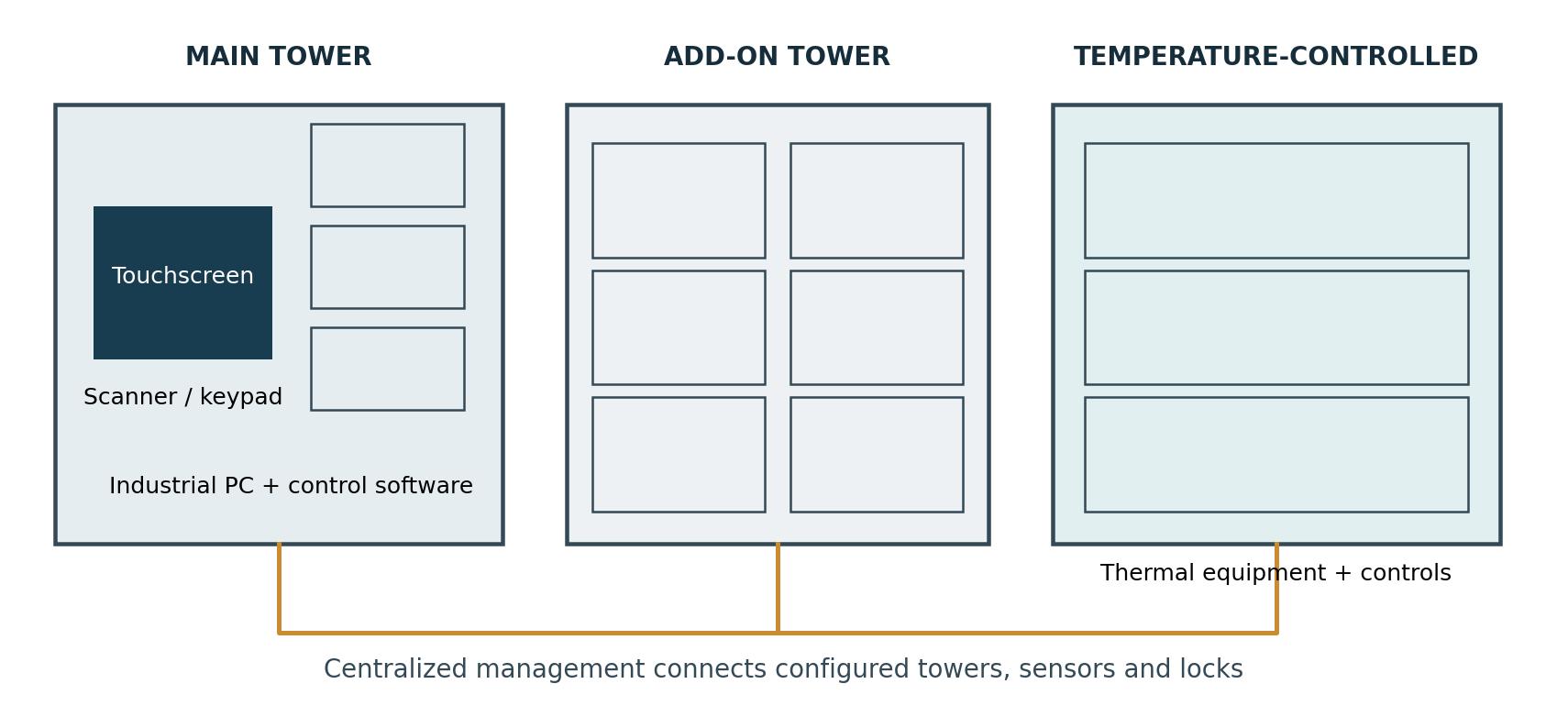
Conceptual system anatomy. Tower sizes, compartment layouts and equipment locations are illustrative, not dimensional or electrical specifications.
Main Tower
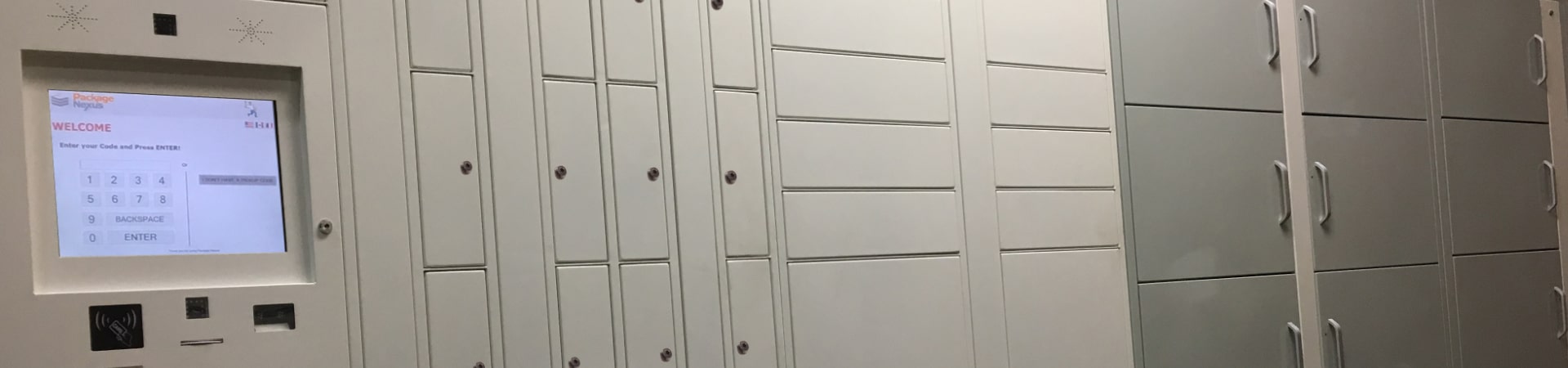
The Main Tower is the user interaction and coordination point. Its kiosk guides a courier or recipient through the configured transaction. Behind that interface, the computer manages the relationship between user credentials, compartment assignments, locks, sensor signals and transaction records. Storage compartments can share the tower with the kiosk equipment.
The touchscreen is only the visible part of the control system. Barcode scanning can simplify credential entry; a keypad offers another input method. The industrial computer runs the workflow, while lock-control hardware communicates with the doors. A clear screen, readable prompts and appropriately positioned controls all influence whether users can complete a transaction without help.
Add-On Towers
Add-On Towers add compartments to the managed locker bank. They allow a property to choose a mix of smaller and larger doors without duplicating the main user interface at every module. More compartments increase usable capacity only when their sizes match incoming parcels and recipients collect deliveries promptly.
Package Nexus describes its lockers as 100% modular. Plan an expansion route from the outset: reserve space, confirm compatible modules, and account for wiring, power, access clearances and installation labor. Expansion is a planned equipment addition, not a guarantee that every future tower will fit every site without preparation.
Temperature-Controlled Towers
Temperature-controlled lockers add a thermal function to secure storage. Package Nexus offers refrigerated, freezer and heated options alongside ambient compartments. A project can combine suitable options under centralized management, with the final configuration matched to its delivery mix. Ambient storage does not refrigerate its contents.
Inside the Main Tower
A dependable kiosk is an integrated system. Each component has a specific job, and a fault in one layer can affect the entire delivery experience. The following inventory distinguishes physical access, package verification and the information used to manage daily operations.
| Component | Operational Role | What the Buyer Should Confirm |
|---|---|---|
| Touchscreen and input devices | Guide users and accept credentials. | Screen size, outdoor visibility, reach, scanner compatibility and keypad options. |
| Industrial computer | Runs transaction logic and coordinates connected equipment. | Operating conditions, service access, update policy and replacement support. |
| Lock controllers and wiring | Translate authorized access into a release command for a specific door. | Module limits, connection layout and fault isolation. |
| Electronic locks and catches | Secure each compartment until access is authorized. | Door alignment, emergency service procedure and power-loss behavior. |
| Door and package sensors | Distinguish door movement from package presence or removal. | Detection coverage, supported parcel range and exception handling. |
| Cameras and lighting | Support event review and visibility at the kiosk. | Included equipment, recording coverage, retention and access permissions. |
| Network and power | Support communications and equipment operation. | Connection method, electrical loads, backup scope and outage recovery. |
| Management software | Maintains users, transactions, notifications and administrative controls. | Roles, exports, retention, integrations and support responsibilities. |
Why an industrial computer matters
An industrial PC can provide serviceable connections and an operating platform selected for sustained kiosk use. Package Nexus specifies industrial-grade computer hardware. The practical advantage should be demonstrated through the offered equipment’s ratings, service plan and software support, rather than inferred from the processor brand alone.
A tablet or single-board computer can be appropriate in an engineered system; its suitability depends on the enclosure, operating environment and maintenance design. Builders should compare the complete installed assembly. Ask how technicians replace a failed screen or PC, restore the application and protect recorded transactions.
Published equipment and project specifications
Package Nexus materials describe 15-inch and 22-inch touchscreen configurations; its comparison sheet also lists a fanless PC, two cameras, a Braille keypad and a Honeywell 3320G scanner. These are published examples, not a universal bill of materials. The approved submittal should identify the actual components, dimensions, compartment capacities, electrical demand, environmental ratings and current options for the quoted system.
How the system verifies delivery and pickup
A door opening proves that a door was opened. It does not, by itself, prove that a package was delivered or removed. Package-presence sensing gives the software an additional physical observation with which to evaluate the transaction. This is the central operational distinction behind On-Auto-Pilot technology.
A delivery sequence
The courier identifies the intended recipient and follows the kiosk prompts. The system assigns a suitable available compartment, releases its lock and monitors the relevant door and package signals. When the configured completion conditions are satisfied, the software records the delivery and initiates the recipient notification. If the physical state and the expected transaction do not agree, the workflow can guide the user or flag an exception.
A pickup sequence
The recipient presents the assigned pickup credential. The system opens the associated compartment and evaluates package removal and door status. A reliable workflow distinguishes a completed pickup from an opened door that still contains a parcel. That distinction helps prevent a compartment from being returned to available inventory prematurely.
Why automated verification reduces avoidable work
A courier can forget a confirmation, select an incorrect response or leave a session unfinished. A recipient can open a door without taking everything inside. If software depends only on a person pressing “done,” the electronic record can diverge from physical reality. Sensor-informed workflows reduce that dependence and give staff a more specific starting point when an exception needs attention.
For illustration, if 10–20% of manual confirmations were wrong or missing, a system processing 100 transactions would have 10–20 unreliable confirmations to reconcile. This is a hypothetical scenario using the range in the project brief, not an independently established industry error rate. The business case should use measured results from the property or a documented trial.
Package Nexus positions its patented On-Auto-Pilot system as a proprietary combination of sensing and automated workflows, with U.S. and international patent protection. The meaningful comparison is how that specific system detects and resolves incomplete transactions. A demonstration should include small flat mailers, irregular parcels, interrupted sessions and pickups where an item remains behind.
Transparency and accountability at the compartment level
Package Nexus’s 3rd Generation concept combines recipient-specific access with package-state verification and transaction history. This provides substantially stronger compartment-level visibility than an entry record alone. It does not independently establish that a courier chose the right recipient or that the contents match the shipping label. Accurate recipient selection and a defined exception process remain essential.
The enclosure and temperature systems
Why Package Nexus specifies 12 gauge galvanized steel
Repeated deliveries expose locker doors and panels to knocks, pushing and everyday wear. For comparable material and panel geometry, thicker steel offers greater resistance to bending and denting. That can help preserve alignment between doors, catches and locks, keeping the physical enclosure consistent with the software’s intended operation.
| Nominal Galvanized Sheet Gauge | Reference Thickness | 12 Gauge Thickness Advantage |
|---|---|---|
| 12 | 0.1084 in / 2.753 mm | Reference |
| 16 | 0.0635 in / 1.613 mm | Approximately 71% thicker |
| 18 | 0.0516 in / 1.311 mm | Approximately 110% thicker |
These are nominal galvanized-sheet chart values, not measurements of a delivered cabinet. Gauge conventions and mill tolerances matter. Thickness advantages do not equal the same percentage increase in burglary resistance or service life. Ask which panels use the stated gauge and request decimal thickness in the project specification.
Galvanizing adds a protective zinc layer that helps protect the steel from corrosion. The coating, finish, fasteners, drainage and installation environment work together; thickness alone does not make an enclosure suitable outdoors. The additional steel brings greater weight and cost, so delivery access, anchoring and handling belong in the construction plan.
What a Temperature-Controlled Tower adds
A thermal tower requires more than an access-controlled door. Its design needs appropriate insulation, seals, thermal equipment and controls. The buyer should confirm the available temperature range, recovery after repeated openings, ventilation needs, ambient operating limits and the procedure for an out-of-range condition.
The control system also needs to route eligible deliveries to the correct zone. A refrigerated compartment may suit a grocery handoff, while a heated compartment serves a different purpose. The correct configuration depends on the item and intended holding conditions. Request documented suitability for the application rather than assuming every temperature-controlled compartment is interchangeable.
Plan for maintenance and recovery
Define who responds to a temperature alert, how unavailable compartments are removed from service and where deliveries go during an outage. Include cleaning, inspection and servicing in the operating plan. Centralized management can simplify oversight, but it does not replace the equipment’s electrical and thermal requirements.
Lockers and Package Rooms in one plan
Package Nexus offers both an Integrated Package Room and a Standalone Package Room. The right choice depends on available space, parcel sizes, the desired level of individual access control and the operational budget. Rooms are especially useful where unusual package shapes make a compartment-only plan impractical.
| Capability | Sensor-Equipped Lockers | Access-Controlled Package Room |
|---|---|---|
| Access boundary | Assigned compartment. | Shared room entrance. |
| Package verification | Sensors can detect occupancy changes within a compartment. | Entry logs alone do not verify removal of a particular item. |
| Location guidance | Assigned compartment identifies the storage position. | Shelf-zone instructions narrow the search area. |
| Oversized items | Limited by usable compartment dimensions. | Flexible within door, shelf and floor constraints. |
| Operational evidence | Credentials, door events and package-state records. | Access logs, delivery records and configured camera coverage. |
Integrated Package Room
An integrated plan combines ambient lockers, selected temperature-controlled lockers and room access within a coordinated package-management environment. Standard parcels use individual compartments, while oversized or overflow items follow the room workflow. Package Nexus’s centralized approach helps operators manage this mix without creating disconnected resident experiences.
Standalone Package Room
The Standalone Package Room uses a computer at the entrance and a controlled delivery process. Carriers select a shelf-zone, and recipients receive access instructions so they can find the designated area. It can make an existing room more organized when the property lacks the footprint or budget for its preferred locker configuration.
A shelf-zone is useful location guidance, but its accuracy depends on the courier placing the item in the selected area. Shared access also leaves several recipients’ packages within the same space. Cameras and access logs offer meaningful accountability; they do not automatically establish which individual item a person removed. This is why lockers provide a stronger boundary around each assigned delivery.
Reducing the onsite workload
Automated notifications, self-service collection and verified compartment status can reduce routine handoffs and troubleshooting. The practical target is less continuous involvement by site managers. Maintenance, connectivity, carrier mistakes and unusual deliveries may still require assistance. Compare solutions using observed staff intervention rates and resolution time, rather than assuming every package event will be unattended.
Why builders should work with Package Nexus
Builders need package infrastructure that works at opening and remains useful as occupancy grows. Package Nexus is 100% U.S.-owned and operated, according to the company’s supplied information. Its combination of modular towers, industrial computing, heavy-duty enclosure construction and room options gives project teams several ways to solve the same delivery problem within different building footprints.
Design the delivery route before choosing the tower count
Locate the kiosk where couriers can reach it efficiently and recipients can collect items without obstructing circulation. Indoor parcel lockers can suit an accessible lobby or dedicated room; outdoor parcel lockers require a model and placement appropriate for exposure. Confirm the installation route, floor conditions, anchoring, door swings, lighting, power and network connection before equipment arrives.
Size capacity around arrivals and collection time. As a simple planning example, 60 daily deliveries held for an average of 1.5 days imply approximately 90 occupied compartment-equivalents before peak allowances, parcel-size mismatch or special routing. This is a planning calculation, not a prescribed Package Nexus configuration. Review real delivery data and reserve room for modular growth.
Match the workflow to the market
| Market | High-Value Application | Planning Priority |
|---|---|---|
| Multifamily | Resident parcels and grocery pickup. | Compartment mix, pickup dwell time and overflow. |
| Retail | Self-service collection of prepared orders. | Order-system compatibility and staging accuracy. |
| Libraries | After-hours collection of reserved materials. | Patron credentials and library-system workflow. |
| Warehouses | Controlled issue or collection of parts and supplies. | User permissions and inventory reconciliation. |
| Hotels | Guest parcels and selected service exchanges. | Guest turnover and identity verification. |
| Corporate mailrooms | Employee delivery and managed internal exchanges. | Directory maintenance and audit requirements. |
Ask for a demonstration of the difficult cases
Review what happens when a package is too large, a door stays open, a recipient leaves an item behind, the network drops or notifications are delayed. Obtain a project-specific scope for integrations, support, remote access, warranty and recurring services. These details help construction teams hand over an operating process as well as installed equipment.
Explore our smart lockers versus traditional mailroom storage guide and Package Nexus resources for related planning topics. To develop a configuration for your building, contact Package Nexus with the floor plan, expected delivery volume, package-size mix and any temperature-control requirements.
Frequently asked questions
What is a smart parcel locker kiosk
It is the user interface and control point for a managed locker system. The kiosk accepts credentials, guides the transaction and coordinates access to the appropriate compartment. Its usefulness depends on the connected locks, sensors, software, power and communications as well as the screen.
What is the difference between a Main Tower and an Add On Tower
The Main Tower provides the primary kiosk and system coordination. Add-On Towers expand managed storage with additional compartments. Their layout should reflect package sizes and available space, while the final design confirms compatible connections and the supported expansion capacity.
Can Package Nexus lockers expand as demand grows
Package Nexus describes its system as fully modular. Additional compatible towers can be planned as occupancy or delivery volume increases. Reserve installation space and confirm power, communications and service access early so expansion can occur without unnecessary building alterations.
How does a locker know whether a package was collected
Package-presence sensors can detect a change inside the compartment, while door sensors report door status. The software evaluates those observations within the pickup workflow. This provides stronger evidence of removal than a user confirmation alone, although it does not identify the contents of the parcel.
Are refrigerated lockers the same as ambient lockers
No. Ambient compartments provide secure storage without active refrigeration. A refrigerated tower adds equipment to maintain specified cool conditions; heated and freezer configurations serve other requirements. Buyers should confirm the offered temperature range and operating conditions for their application.
Why choose 12 gauge steel instead of 16 or 18 gauge
For comparable steel and construction, 12-gauge sheet is thicker and generally better able to resist panel deformation. That can support door alignment and a more substantial enclosure. Complete-system security also depends on the locks, hinges, seams, anchoring and installation; gauge alone does not establish a tested security rating.
Does a Package Room provide the same accountability as lockers
A controlled room can provide access records, camera evidence and shelf-zone guidance. Individual lockers additionally restrict access to assigned compartments and can verify occupancy changes there. Room entry by itself cannot confirm that a particular package was collected, so the two solutions provide different kinds of evidence.
Will automation eliminate every task for property staff
Automation can remove many routine handoffs, confirmations and status checks. Staff or support teams may still address exceptions, damaged equipment, connectivity and incorrect delivery information. A useful acceptance test measures completed transactions and the remaining staff interventions under realistic conditions.

Package Nexus is the global technology leader and provider of The World's Most Advanced Smart Parcel Lockers for efficient and most simplified package management for multifamily communities, retailers, universities, libraries, corporate offices, groceries, and more. Package Nexus unique and patented technology offers a fix for human errors at the time of package deliveries and pickups. Package Nexus solutions help property, store, and office managers to improve their operations, reduce operating costs, and increase customer satisfaction at the same time. Package Nexus offers its entire suite of solutions globally.
USEFUL LINKS

© 2017-2026 Package Nexus