


Patent Protected Smart Locker System
Package Nexus combines smart locker hardware with patented On-Auto-Pilot workflows to help manage package delivery and pickup exceptions in multifamily communities. Sensors and transaction logic can help identify events such as an unregistered delivery, an unfinished session, an empty-locker attempt, or a compartment door left open, then guide the next step according to the system configuration.
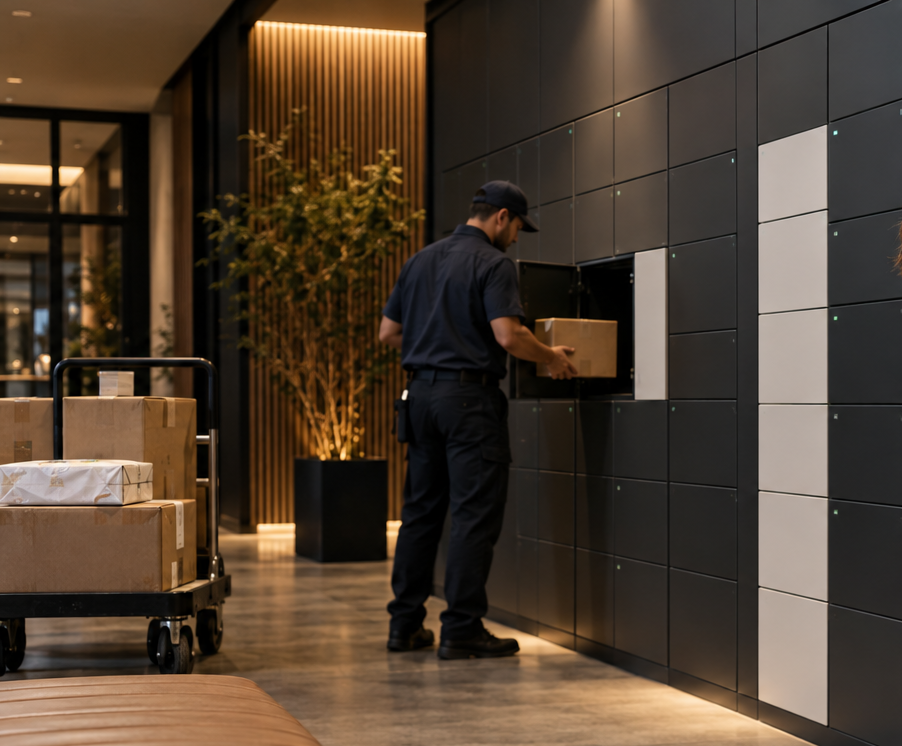
What is a patent protected smart locker system?
A patent protected smart locker system is an electronic package-delivery platform in which software, access controls, sensors, and locker compartments coordinate a delivery from carrier drop-off through resident pickup. Package Nexus’s On-Auto-Pilot platform is designed to address common process mistakes as they occur, helping a property keep a clearer record of what happened and reduce avoidable manual follow-up.
Package Nexus has announced patent protection for its On-Auto-Pilot technology in the United States and Australia, with protection granted in 18 European countries. The practical value for a property is the system’s exception-handling approach: it is designed to recognize when a routine delivery or pickup departs from the expected sequence and respond through configured workflows.
How On-Auto-Pilot supports package transactions
A smart locker does more than assign a door. It connects a recipient record, a compartment, an access credential, and an event history. Package Nexus combines this coordinated workflow with sensor-equipped locker configurations and industrial-grade kiosk components.
Identify
Carrier links parcel to a recipient
Sense
Sensors and events track compartment state
Resolve
Workflow addresses missed or incomplete steps
Notify
Resident receives pickup access details
- Identify. The carrier follows the kiosk workflow to identify the intended recipient and delivery. Depending on the installation, a delivery may be entered or scanned using supported barcode and recipient lookup options.
- Assign and Sense. The system directs the carrier to an available compartment. Configured sensors and transaction records can help track package placement, door activity, and removal.
- Address Exceptions. If a step is missed or interrupted, On-Auto-Pilot workflows are designed to address events such as a missed registration, session timeout, empty-compartment pickup attempt, or door left open. Specific recovery behavior depends on configuration.
- Notify and Release. After a delivery is recorded, residents receive supported pickup information. At pickup, a valid code or barcode opens the assigned compartment, and the transaction updates the package record.
Why workflow recovery matters to multifamily properties
Package rooms and leasing offices handle deliveries arriving from different carriers, at different times, and in different sizes. A missed scan, an interrupted kiosk session, or a door that remains open can create a question for staff: Was the package placed? Which compartment holds it? Has it been picked up? Software that can use device and transaction events to address an exception gives the property a more useful operational record and a clearer path to resolution.
Residents benefit from a self-service pickup process with recipient-specific access information. Property teams can spend less time sorting packages, tracking down delivery details, and answering routine status questions. Actual staff impact depends on package volume, building access, adoption, and the way the property configures its package process.
Hardware and configuration options
Package Nexus lists the following technology and configuration options across its published product materials. The exact specification depends on the system selected; confirm final dimensions, compartment mix, environmental requirements, accessibility features, integrations, and accessories during project planning.
| System Element | Published Options and Practical Role |
|---|---|
| Locker construction | Heavy-duty steel construction, including 12-gauge galvanized steel in applicable configurations; supports durable indoor or outdoor installations when specified for the environment. |
| Kiosk and computing | Industrial-grade computer hardware and a commercial touchscreen kiosk |
| Scanning and access | Industrial barcode scanning, including 1D/2D scanning; RFID and other peripherals can be included when required. |
| Sensors and records | Configured sensors can monitor parcel presence and compartment events; transaction activity supports delivery and pickup tracking. |
| Accessibility | A separate physical Braille keypad is listed among available accessibility features. Confirm the selected layout and applicable accessibility requirements for the installation. |
| Compartment choices | Multiple compartment sizes and configurable layouts, with options for indoor, outdoor, oversized, refrigerated, freezer, or heated use cases, subject to project design. |
| Software and communications | Kiosk workflows, resident pickup credentials, activity tracking, notifications, and management tools. Integration and notification options depend on the project and available systems. |
Where a patent protected locker system can help
- Apartments and condominiums. Create a designated package destination with resident self-service pickup, delivery records, and configured workflow support for common exceptions.
- Student and workforce housing. Support deliveries that arrive while residents are in class, at work, or away from the mailroom. Capacity planning should account for peak periods and package dwell time.
- Retail and grocery pickup. Use assigned compartments for order handoff, with temperature-controlled options considered for eligible food or other temperature-sensitive deliveries.
- Libraries and campus services. Provide secure self-service pickup for holds, interoffice deliveries, or equipment exchanges where recipient verification and an auditable handoff are useful.
- Corporate mailrooms and shared facilities. Route incoming parcels to a controlled pickup point and use activity records to support internal handoffs and reduce manual routing.
Plan around the building, not only the unit count
Start with average and peak package volume, package-size distribution, pickup timing, available wall or floor space, resident circulation, power, network access, and the property’s access rules. A practical design may combine standard compartments with larger doors, temperature-controlled modules, or a package-room process for items that do not fit. Outdoor installations require a configuration selected for the site’s environmental conditions.
Explore smart parcel lockers for apartments and condos to review multifamily configurations, or compare temperature-controlled locker options when food or temperature-sensitive items are part of the delivery mix.
A patent is only part of the evaluation
When evaluating a locker system, ask how the technology behaves when a user misses a step. Review the physical sensing method, the software’s response to timeouts and open doors, the record available to staff, the supported pickup credentials, and the process for handling oversized items. Also verify the selected hardware, service model, site requirements, data exchange, and accessibility details. Patent protection signals protected innovation; the project requirements and demonstrated workflows show whether the system fits a particular property.
Learn more about patented On-Auto-Pilot smart locker technology and see how the indoor smart parcel locker workflow works. Properties that need additional room for large or irregular deliveries can review Package Nexus package room solutions.
Discuss a configuration for your property. Request a smart locker configuration.
Frequently Asked Questions
What makes a smart locker system patent protected?
Patent protection applies to inventions and technical methods described in granted patents. Package Nexus identifies its On-Auto-Pilot smart locker platform as patent protected. For property teams, the useful next question is what the protected workflows do in practice: the platform is designed to address common delivery and pickup exceptions through coordinated hardware, sensor events, and software logic.
What does On-Auto-Pilot do?
On-Auto-Pilot is designed to monitor transaction steps and help address common problems such as a delivery that was not registered, a session that timed out, an empty-compartment pickup attempt, or a compartment door left open. Recovery behavior depends on the event, workflow, and system configuration.
Does patent protection mean every package problem is eliminated?
No system should be described as eliminating every delivery or pickup problem. Patent protection covers specified inventions; it does not guarantee that every parcel will fit, every user will follow instructions, or every site will have uninterrupted access. Ask for a walkthrough of the workflows that matter to your property and confirm operating requirements.
What hardware is used in a Package Nexus smart locker system?
Published materials describe industrial-grade computer hardware, a commercial touchscreen kiosk, industrial barcode scanning, locker sensors, electronic locks, and configurable compartments. Applicable configurations include 12-gauge galvanized steel construction, Braille keypad options, RFID peripherals, and temperature-controlled modules. Confirm the bill of materials for the selected project.
Can the system be installed indoors or outdoors?
Package Nexus offers indoor and outdoor smart locker configurations. Site conditions, enclosure requirements, access path, power, connectivity, and weather exposure should be reviewed before choosing a model. Confirm any applicable environmental ratings and installation details for the exact configuration.
Can a system include refrigerated, freezer, or heated lockers?
Temperature-controlled configurations are available for use cases such as eligible grocery, meal, or temperature-sensitive deliveries. The operating temperature, compartment material, monitoring method, and handling rules depend on the selected equipment and use case; confirm these details during planning.
How do residents retrieve a package?
After a delivery is recorded, the resident receives pickup information through the configured notification channel. At the kiosk, the resident enters or scans a supported credential, such as a code or barcode, and the assigned electronic lock releases the compartment. The building determines when the resident can access the locker area.
How should a property choose the right locker size and capacity?
Use delivery history and peak-season volume, not unit count alone. Review package dimensions, the share of large items, how long deliveries remain uncollected, available floor and wall space, and whether overflow or package-room handling is needed. Confirm clear door openings and resident circulation before finalizing a layout.

Package Nexus is the global technology leader and provider of The World's Most Advanced Smart Parcel Lockers for efficient and most simplified package management for multifamily communities, retailers, universities, libraries, corporate offices, groceries, and more. Package Nexus unique and patented technology offers a fix for human errors at the time of package deliveries and pickups. Package Nexus solutions help property, store, and office managers to improve their operations, reduce operating costs, and increase customer satisfaction at the same time. Package Nexus offers its entire suite of solutions globally.
USEFUL LINKS

© 2017-2026 Package Nexus